
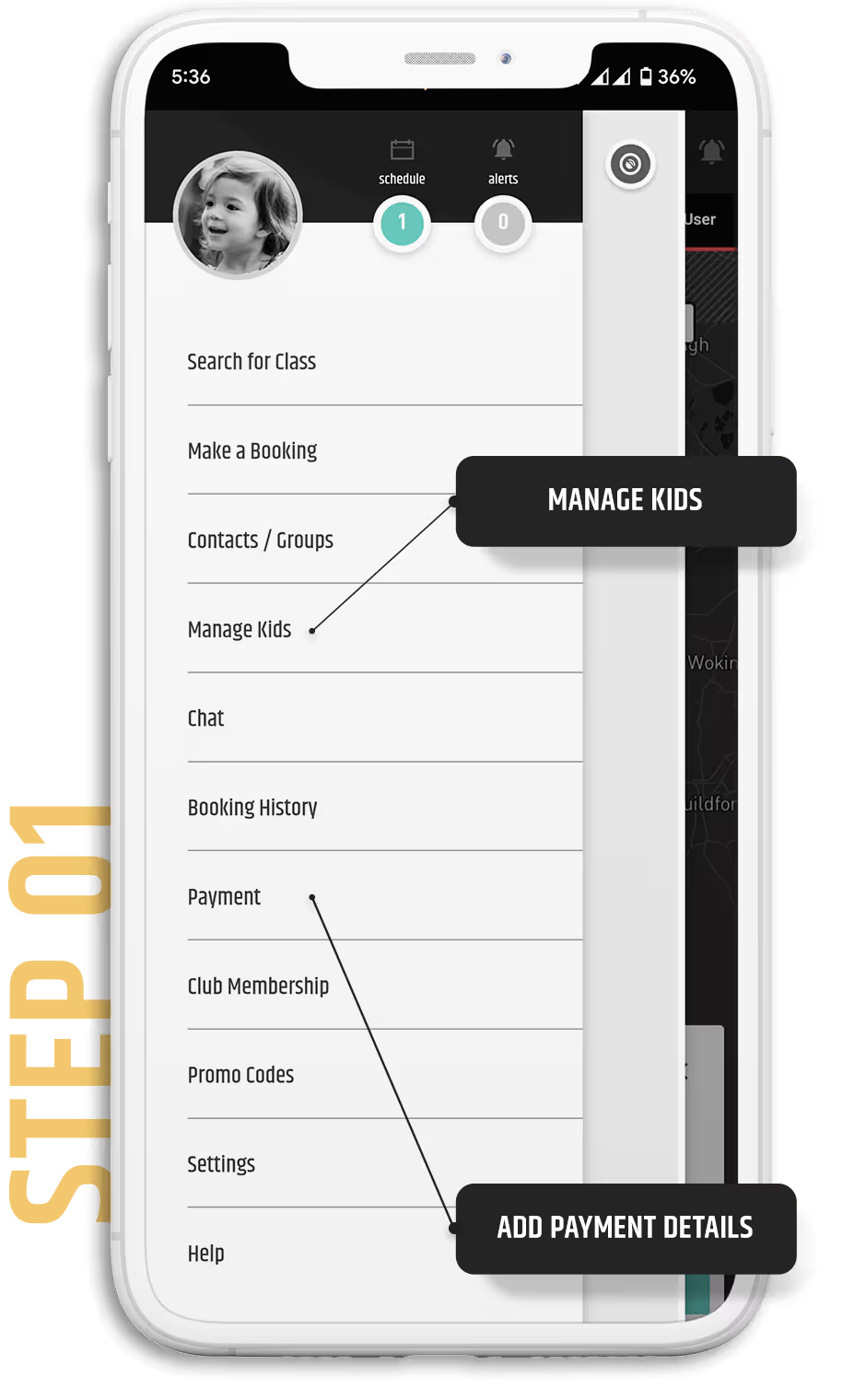
Download the BOUNX Sport app. Create a BOUNX account and add payment details.
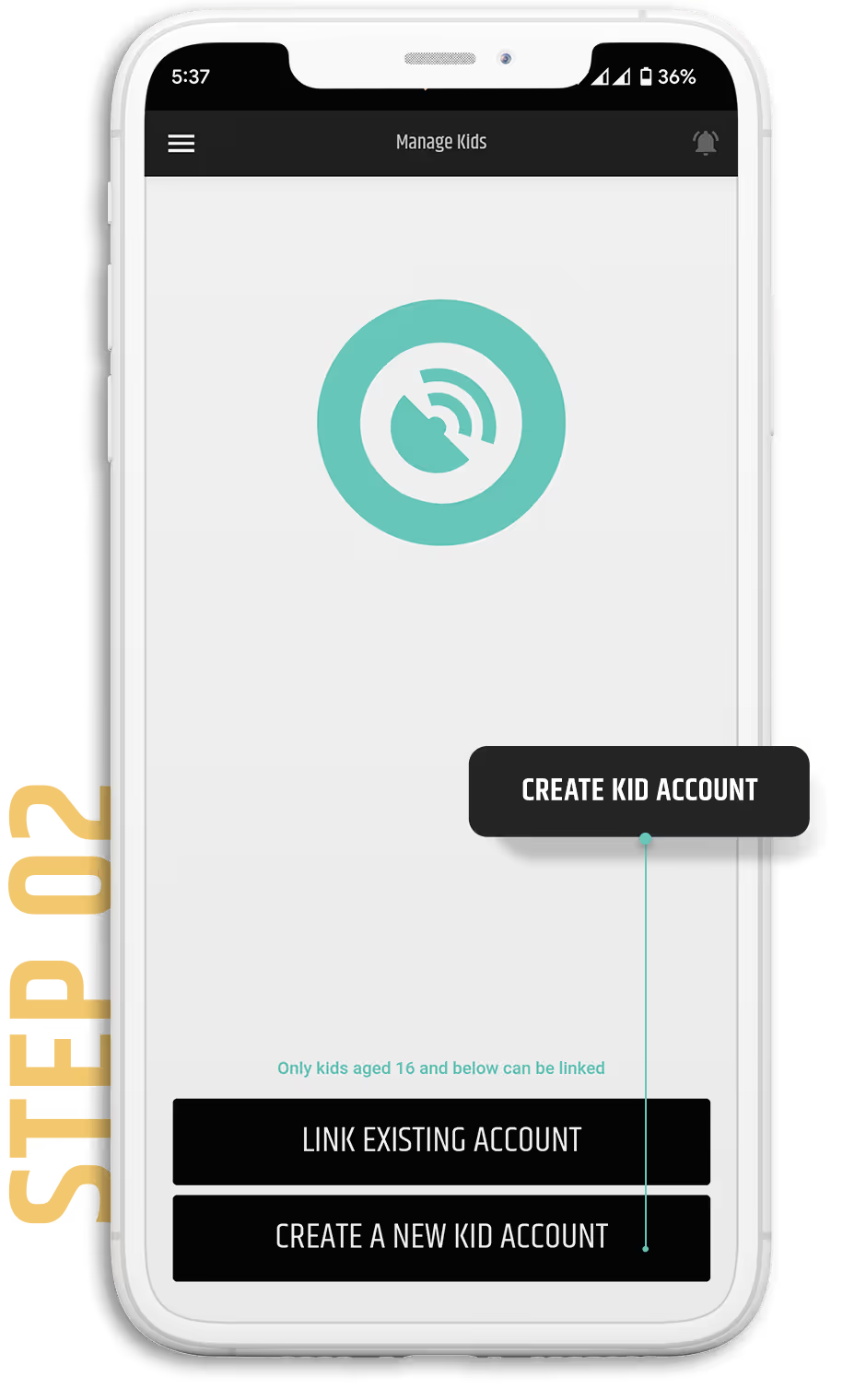
Tap on [ Manage Kids ] from the Nav Menu to create accounts for your kids.
NOTE: Classes appear by age and by swimmer name so please use a unique email and accurate birthdate.
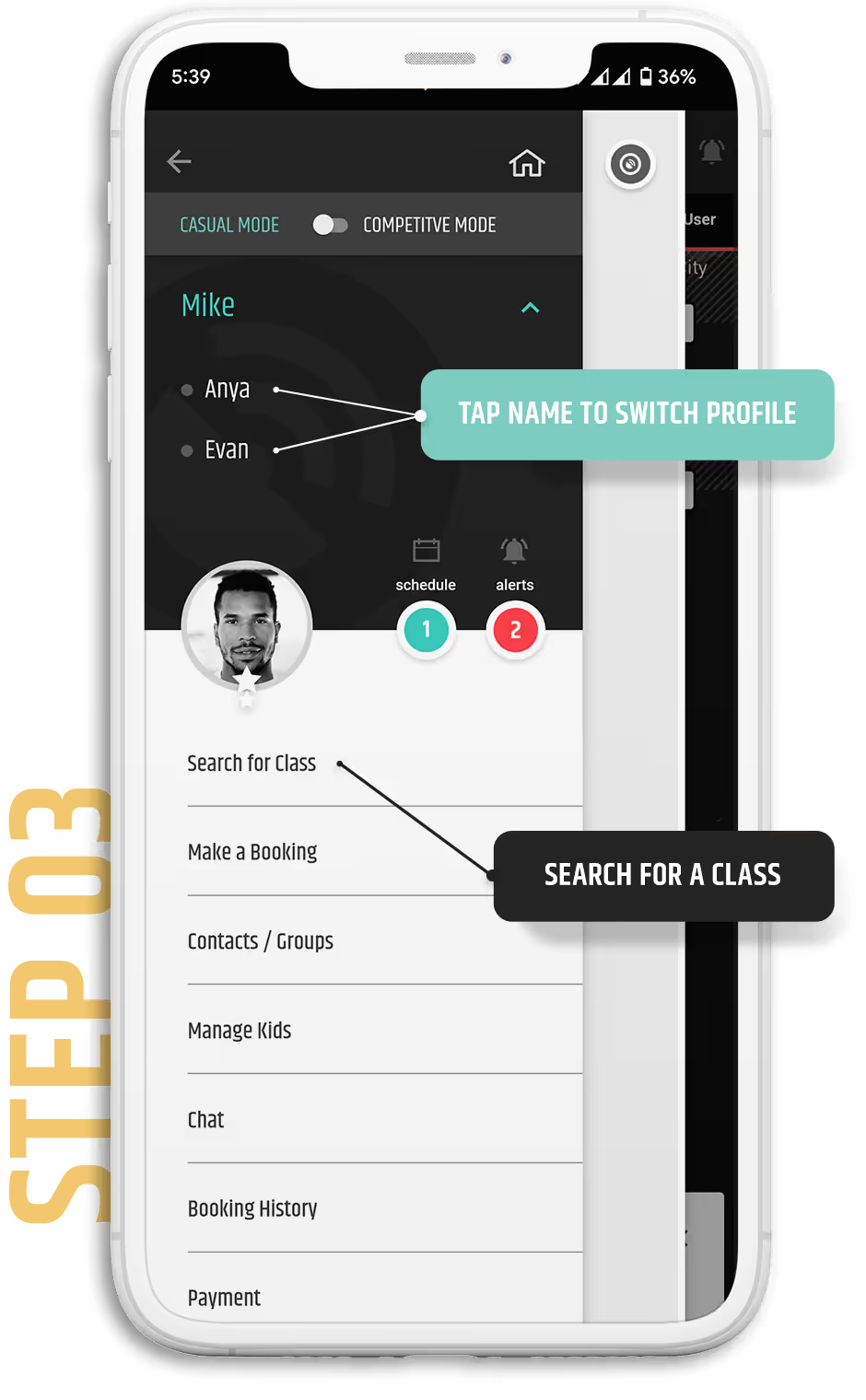
In the Menu, tap on your kid's name to switch profiles and search for your Class.
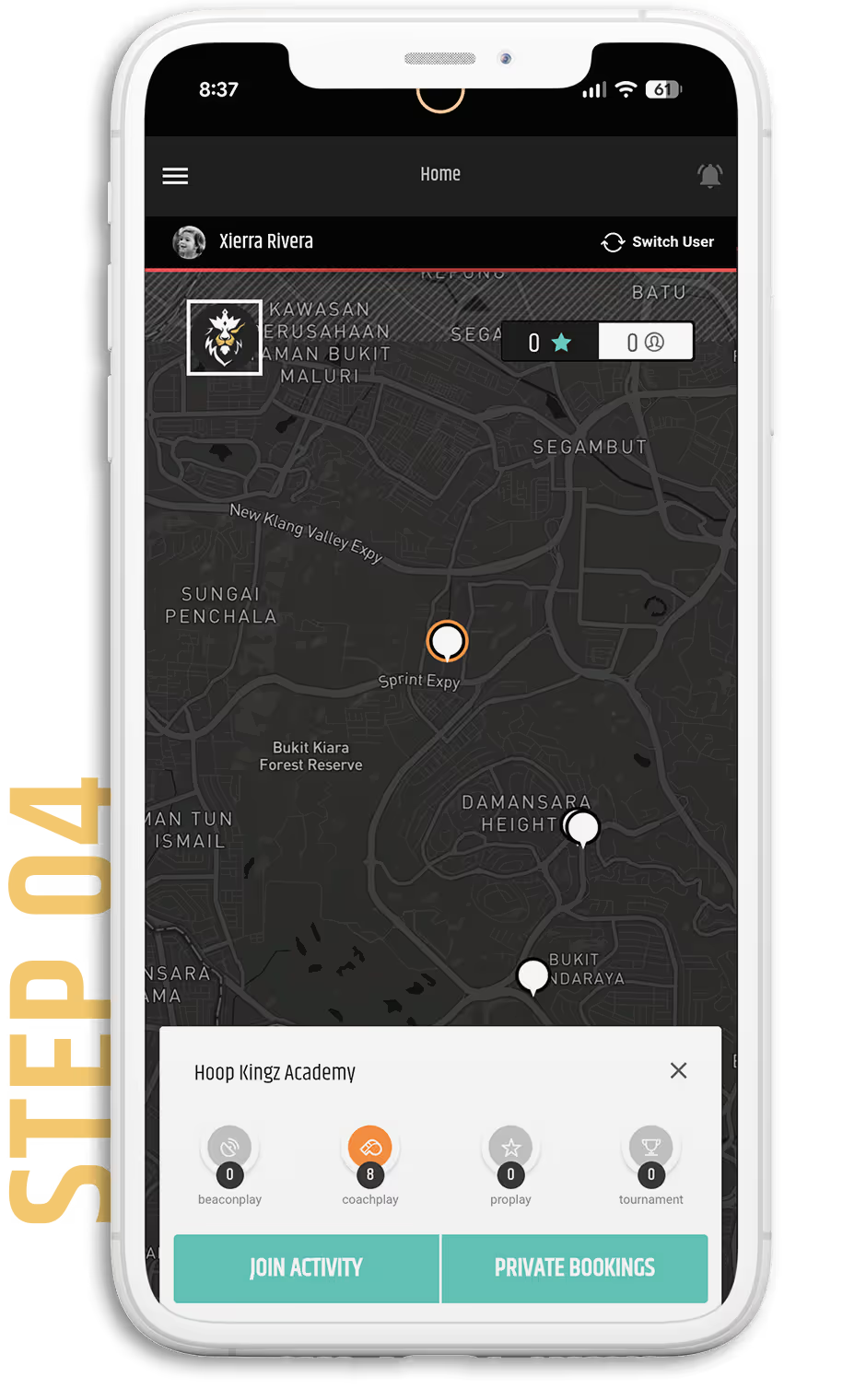
Alternatively, you can search for Hoop Kingz Academy from the Map screen.

Tap on the Class you want to join and scroll down to pay. You can view the details of your classes from your schedule.